
Objects of Terror Leafy: Abilities and Survival Tips
Master Objects of Terror Leafy with tips for Knife Toss, Lofty, and Blue Skidaddle. Learn when to stun, rescue teammates, and plan a safer teleport escape.
Jump to
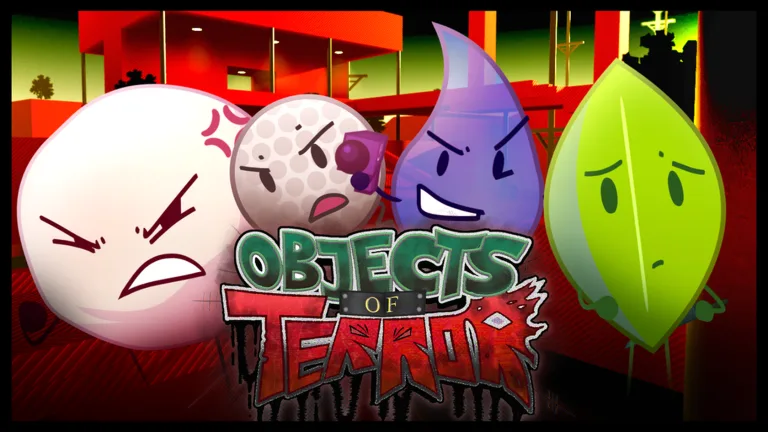
What Does Leafy Do in Objects of Terror?
Mastering Objects of Terror Leafy means knowing when to interrupt a Co-Host and when to get out. Her knives can break an enemy’s ability and give a teammate time to escape. Her extra mobility helps her reach higher ground, but a poorly timed teleport leaves her vulnerable.
Leafy is a one-star stunner survivalist, making her an accessible Contestant to learn. Her listed stats are 25 run speed and 10 jump height, with additional movement benefits from her passive, Lofty.
Her role fits the game’s team survival setup:
- Match format: One Co-Host against seven Contestants.
- Server capacity: Up to 8 players.
Play around opportunities to protect other Contestants instead of saving every knife for your own chase. Objects of Terror is in beta, so ability values and interactions can change with updates. Open Info → Guide → Leafy in the game to review her abilities.
Official page: Objects of Terror (roblox.com)
Use Lofty to Reach Higher Ground
Lofty increases Leafy’s jump height and her walking speed while she is not running. It also halves the mobility reduction she takes from yo-yo metal.
 Image: Roblox / Fish Frontier
That walking bonus matters because Knife Toss forces Leafy to walk. Keep moving while lining up a throw, and use nearby elevation to create space before activating it.
Throwing a knife in midair gives Leafy a short upward hop. Chaining airborne throws lets her gain substantial height and reach elevated areas.
Use that interaction with a specific destination in mind:
- Jump toward a ledge, then throw midair to gain extra height.
- Chain airborne throws when you need more lift to reach an elevated route.
- Take an elevated position before aiming at a Co-Host below.
Aim from higher ground when it gives you a clearer view of the chase. Leafy can throw knives from a distance, so you do not need to stand beside a teammate to interrupt their pursuer.
Knife Toss: Choose How Many Knives to Throw
Activating Knife Toss prepares the ability; M1 or right trigger throws a knife toward your cursor. You can throw up to three knives. While the ability is active, the second ability becomes its cancel button.
 Image: Roblox / Fish Frontier
Knife stuns stack, but each successive knife adds a shorter stun. The first lasts 1.25 seconds. Throwing more knives before canceling also increases the cooldown.
Choose the number of throws around the immediate threat:
| Knives thrown | Use them for | Tradeoff |
|---|---|---|
| One | Interrupting an important Co-Host ability | Less total stun than a full sequence, with less cooldown commitment |
| Two | Creating space during your own chase | More stun than one knife without committing to all three |
| Three | Giving a threatened teammate more time to escape | Longest stun sequence and highest cooldown commitment |
Cancel after the interruption you need. A successful stun also cancels the Co-Host’s active ability, so one knife can be enough to stop Announcer’s run or MePhoneX’s charge or laser.
Use two knives as your fallback when a chase gets hectic. Commit to three when an ally needs the extra interruption to avoid being caught. Throwing all three automatically spends more cooldown even when the first hit has already solved the problem.
Blue Skidaddle: Set Up the Escape Before Charging
Blue Skidaddle has a long windup before Leafy jumps into her map and teleports to the location farthest from any Co-Host.
The danger is the charge itself: a hit during the windup deals 50% more damage and immediately cancels the teleport. Start it after creating separation instead of waiting until the Co-Host is within striking distance.
The ability also stops Leafy in midair during its windup. Use that interaction over a pit to pause your fall while charging the escape. Check for Announcer’s bugs before committing, since they can still interrupt this setup.
Do not treat the destination as the difficult part of the ability. Protect the windup:
- Interrupt the Co-Host or move out of immediate reach.
- Check for pursuing threats, especially bugs.
- Begin Blue Skidaddle where the Co-Host will struggle to hit you during the charge.
You can also cancel Blue Skidaddle for a small hop. Start the ability, jump immediately afterward, then cancel to gain an extra jump-like boost. Canceling gives it a short cooldown, letting you use the interaction for movement without completing the teleport.
Handle Announcer’s Run and Obstacle Course
Interrupt Announcer’s run with a knife when you have the opportunity. Stopping the ability keeps you from having to deal with its obstacle course in the first place.
If you do get pulled into the course, use Leafy’s increased jump height to clear the obstacles. Her mobility gives her an advantage here, but keep your attention on the jumps rather than rushing through them.
Keep track of bugs before attempting your escape afterward. A pit teleport still needs an uninterrupted charge, and a pursuing bug can turn that windup into a canceled ability and an amplified hit.
Popular pages

Objects of Terror Release Date: Public Beta Is Live
Looking for the Objects of Terror release date? The public beta is playable on Roblox. Explore its launch content, supported devices, and gameplay updates.
Objects of Terror Announcer Guide: Abilities & Tips
Master the Objects of Terror announcer with Beta 1.0.1 damage values, ability controls, chase tips, and counters to his sawblades, rush, and hunting bugs.

Objects of Terror Underground Factory: Beta Map Guide
Explore the Objects of Terror underground factory, BFDI roots, and beta survival mechanics. Learn how revivals, character roles, and practice games work.
Objects of Terror Badges: How to Earn All Six Awards
Earn all six Objects of Terror badges with each unlock requirement, exact award counts, and a completion checklist for Contestant and Co-Host victories.
Join the community
Official channels for news, updates and player help: